

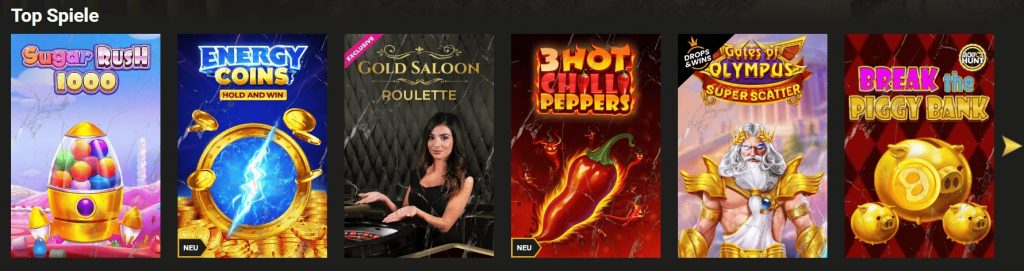
Mobilní aplikace casino casinoly nabízí hráčům z Velké Británie jednoduchý a bezproblémový prostředí na mobilu. Rozvržení je postavený na eliminaci tření: snadno stisknutelné tlačítka, černé pozadí se zlatými prvky, které je příjemnější pro oči při vícehodinových relacích, a dolní navigační panel, která umísťuje kategorie, které nejvíc potřebujete, hned pod rukou. Každá součást je dimenzován a uspořádán tak, že i na kompaktnější obrazovce jen výjimečně klepnete na chybné tlačítko. Vizuální styl se nepoužívá výrazným přechodům a přehnaným animacím, což zajišťuje, že aplikace působí plynule i na méně výkonných zařízeních. Od chvíle, kdy ji zapnete, rozvržení dává najevo jednu věc — rychlost a jasnost byly prioritou, ne dekorativní doplňky.
Mobile Features That Enhance Mobile Play
Several features in the Casinoly app are built specifically for mobile usage and have no direct equivalent on the desktop website. The most quickly useful is biometric login. After activating the setting in Account settings, you can authenticate with a fingerprint or facial recognition instead of typing an email and password each time. This functions with Touch ID and Face ID on Apple devices and with the matching biometric APIs on Android. The option respects the device’s secure enclave, so biometric data never leaves the phone. Another mobile‑first enhancement is push notifications, which can be tailored to alert you about new game releases, deposit confirmations, or promotional offers. Notifications can be managed granularly, and the default mode is off until you opt in.
Quick Deposit lets you recharge your balance without closing the game screen. When your balance runs low during a session, a small deposit panel slides up from the bottom, displaying your saved payment method and three preset amounts. A single tap finishes the transaction, and the game resumes immediately. The app also provides both portrait and landscape orientations. The lobby and account screens are optimized for portrait use, while most slot and table games instantly switch to landscape for a wider view. A subtle haptic feedback on compatible devices confirms successful taps, adding a tactile layer to navigation without being intrusive. The following list summarizes the key mobile‑exclusive or mobile‑enhanced features a UK player can anticipate.
- Fingerprint or facial login via fingerprint or facial recognition for faster, secure access
- Personalizable push notifications for promotions, deposits, and game launches
- Quick Deposit panel that appears over the game without interrupting play
- Both portrait and landscape modes with automatic orientation switching in games
- Tactile feedback on supported devices for button presses and confirmations
- Performance mode toggle to decrease animations on older or budget phones
- One‑tap access to live chat support from the Account screen
Usability and Personalisation
Usability has been taken into account in several practical ways that go beyond basic colour contrast. The app respects the device’s system‑level font size setting, so a player who has enlarged text in their phone’s display options will see larger menu labels and button text inside the app. A dedicated dark mode toggle is accessible in the app settings, independent of the system theme, which is helpful for players who prefer a darker interface even when their phone is set to light mode. Sound effects and background music can be managed separately, and a master mute button is always shown in the top bar during gameplay. These small touches make the app more pleasant for players with light sensitivity or those who need larger touch targets.
For players who rely on screen readers, the app includes meaningful accessibility labels on all interactive elements. Buttons state their function, game tiles read the game name aloud, and notification badges are detailed with their numeric value. While the app does not yet include a full high‑contrast mode beyond the dark theme, the existing colour palette already meets WCAG AA standards for text contrast. The navigation structure itself aids accessibility because the fixed bottom bar and consistent back button behaviour decrease the cognitive load of learning a new interface. A player can always go back to the home screen with a single tap, and the search function provides an alternative path for those who find scrolling through categories tiring.
Installing and Setting up the Casinoly App on Android and iOS
Obtaining the app onto your device is straightforward, but the steps are different between operating systems. The Casinoly Casino app is not offered through the Google Play Store for Android users in the UK; instead, you get the official APK file directly from the Casinoly website. This is a common distribution method for real-money gambling apps and is fully in accordance with UK advertising and software distribution rules. iOS users can locate the app on the Apple App Store by looking for “Casinoly Casino” and verifying the developer name before installing. Both versions are free to download, and the installation file size is usually between 50 and 80 MB, with additional game assets loaded on first launch.
For Android, the sideloading process requires a quick settings change. Before launching the downloaded APK, you must allow installation from unknown sources — this option is typically found under Settings > Security or Settings > Apps > Special app access, relying on the device manufacturer. Once the permission is granted and the APK is clicked, the installer runs in a few seconds. After installation, it is recommended to disable the unknown sources permission again as a security measure. iOS installation uses the standard App Store flow: tap Get, confirm with Face ID, Touch ID, or Apple ID password, and the app icon shows up on the home screen. No additional configuration is needed.
- Go to the official Casinoly Casino website from your mobile browser and tap the “Mobile App” link in the footer or main menu.
- On the app page, choose the Android or iOS button. For Android, the APK file will begin transferring; for iOS, the page sends to the App Store listing.
- If using Android, launch the downloaded APK file and follow the prompt to allow installation from the browser or file manager. If prompted, enable “Install from unknown sources” for that session.
- Wait for the installation to complete, then open the app. Log in with an existing Casinoly account or create a new one directly within the app. UK players can sign up with a valid email, phone number, and home address.
- Upon first launch, the app will load a small set of core game assets. A stable Wi‑Fi connection is suggested to avoid mobile data charges during this one-time step.
Design Identity and Layout Principles
The app sits on a deep charcoal base, with warm gold and soft white employed for text, buttons, and category highlights. This high-contrast pairing works well whether you are indoors during the day or in a dimly lit room at night. Game thumbnails appear in a clean grid with rounded corners and a subtle shadow that distinguishes each card without adding visual clutter. Typography adheres to a single sans-serif family that renders sharply on both iOS and Android, and font sizes are generous enough that you never need to pinch and zoom. The overall effect is a calm, readable interface that does not compete with the vivid graphics of the slots and table games themselves.
A consistent layout rule spans every screen: the top area holds a compact header with the Casinoly logo, a search icon, and your balance, while the bottom bar remains fixed. This predictability ensures that after a few minutes of use you can navigate almost entirely by muscle memory. The design team deliberately avoided floating pop-ups and intrusive banners on the main lobby, so the focus remains on discovering games. When promotional information is needed, it lives in a dedicated section you reach from the bottom bar, not as an overlay that blocks the viewport.
Device Compatibility and System Requirements
The app is designed to run on a broad range of devices that UK players are probably have, but it is not universal. For Apple hardware, iOS 13.0 or later is needed, which covers the iPhone 6s and newer, all iPhone SE models, and any iPad Air, iPad mini, or iPad Pro that can support iOS 13. The interface adjusts to various screen resolutions automatically, so the layout remains functional on a 4.7‑inch iPhone SE display as well as on a 12.9‑inch iPad Pro. On the Android side, the minimum supported version is 8.0 (Oreo), though devices operating Android 9 or higher will enjoy smoother transitions and faster game loading. A device with at least 2 GB of RAM is recommended; 3 GB or more offers a clear upgrade when multitasking between the app and other applications.
Screen aspect ratios from 16:9 to taller 20:9 displays are managed without letterboxing or awkward cropping. The app recognizes the device’s pixel density and serves appropriately scaled assets, so text and buttons never appear fuzzy. For players using older or budget Android phones, the app includes a performance mode that reduces background animations and lowers the preview quality of game thumbnails while keeping actual gameplay unaffected. This can be toggled in the settings. The following list contains the most commonly used devices that have been tested and verified to work without significant issues, though many similar models with comparable specifications will also work with the app reliably.
- iPhone 6s model, 7, 8, X, XR, XS, 11 series, 12 series, 13 series, 14 series, 15 series, and iPhone SE (all generations)
- Apple iPad (5th generation and later), iPad Air 2 and later, iPad mini 4 and later, iPad Pro all models
- Samsung Galaxy S8 model and newer, Galaxy Note 8 and newer, Galaxy A series (A32, A52, A72 and equivalents)
- Google Pixel 3 and newer, including Pixel 3a, 4a, 5a, 6a, 7a
- OnePlus 6 and newer, Xiaomi Mi 8 and newer, Huawei P20 and newer (with Google Mobile Services)
- Additional Android devices with a 64-bit processor, at least 2 GB RAM, and a screen resolution of 720p or higher
Managing Your Dashboard, Transactions, and Safe Gambling Tools
Managing your account inside the app follows a one‑screen design that organises related functions under collapsible headers. The top section shows your verification status and provides a direct upload button for identity documents if the account is not yet fully verified. UK players will know the standard Know Your Customer requirements: a photo ID and a recent utility bill or bank statement are typically requested. Below that, the payment methods panel shows saved cards and e‑wallets, and you can set up a new method or take out an existing one with a few taps. The deposit flow handles GBP, and the minimum deposit amount is clearly displayed before a transaction is confirmed. Withdrawal requests are handled through the same Cashier tab, and the app provides the current status of each request along with an estimated processing time based on the chosen method.
Controlled gambling controls are placed prominently in the Account area, not tucked away in a submenu. You can set daily, weekly, or monthly deposit limits that take effect immediately. Reality check reminders can be configured to appear at intervals of 30, 60, or 90 minutes, and they appear over the game screen with a clear message showing session duration and spend. Time‑out periods from 24 hours to six weeks can be enabled without contacting support, and a self‑exclusion option is available that follows UK best practice by covering all products under the Casinoly brand. Each tool features a brief explanation of what it does, so a player who is not familiar with the terminology can make an informed choice. Changes to limits that increase the allowed amount are require a cooling‑off period, while decreases are applied instantly.
Performance, Data Consumption, and Upgrade Process
The app is built on a slim framework that focuses on fast cold‑start times. On a typical mid‑range smartphone from 2021 or later, the app gets to the lobby in under three seconds after you press the icon. Game loading times are based on the title, but most slots are playable within five to eight seconds on a reliable 4G connection. The app stores frequently accessed assets such as the lobby layout, category icons, and the most recently played games, which reduces data consumption for repeat visits. A player who starts the app several times a day will see that only game content and live data are fetched, while the interface itself loads from local storage.
Data usage during gameplay is similar to streaming a music track: an hour of slot play typically uses between 20 and 40 MB, while live dealer games with video streaming can use 150 to 250 MB per hour. The app does not have an offline mode because all games demand a live connection to the casino server, but the cached interface means that a momentary drop in connectivity will not freeze the app; it will simply present a reconnection prompt. Updates are provided in two ways. Minor fixes and content changes happen automatically in the background, while major version updates ask you to download the latest APK from the website for Android or to visit the App Store for iOS. The app will display a discreet banner when a new version is out, and it will not impose an update until the current version becomes outdated with the server.
Primary Navigation Framework
The primary navigation relies on a five-icon bar positioned to the lower part of the screen. Each icon features a concise label — Home, Games, Promotions, Cashier, and Account — so there is no uncertainty about where a tap will lead you. The Home tab serves as a hub that displays recent games, favorite games among UK players, and a direct link to real-time casino tables. The Games tab opens a complete lobby with a horizontally scrollable category strip at the top: Slots, Table Games, Live Casino, Jackpots, and All Games. Tapping any category immediately filters the grid below, and a search bar at the topmost part of the screen lets you type the initial letters of a game name and watch results update in live.
Inside a game category, the app uses endless scrolling rather than page breaks, which matches mobile behaviour well because you can swipe endlessly without ever hitting a “next page” button. A hovering “back to top” arrow shows up once you have gone past two screenfuls, making it simple to return to the category strip. The Cashier section follows a sequential flow: deposit, withdraw, and transaction history are shown as three tabs, and the most relevant payment methods for UK customers — debit cards, e-wallets, and bank transfer — are listed first. The Account area consolidates personal details, verification status, responsible gambling controls, and app settings into a single scrolling list, with each row expanding inline rather than sending you to a new screen.
Fixing Navigation and App Responsiveness
Sometimes, a player may encounter a situation where a tap on a menu icon does not produce an immediate response or a game fails to load. Most of these issues are linked to temporary memory pressure or a stale cache. The first and simplest solution is to close the app completely from the device’s app switcher and reopen it. This resets the active session memory without impacting saved login credentials or settings. If the problem persists, the app settings include a “Clear Cache” button that removes locally stored images and temporary data while maintaining the player logged in. This action typically liberates between 100 and 300 MB of storage and solves sluggish navigation.
In rare cases where the bottom navigation bar becomes unresponsive, the issue is often triggered by an interrupted update or a conflict with an accessibility overlay. Reinstalling the app is a reliable fix. For Android, the player should remove the current version, fetch the latest APK from the Casinoly website, and install it fresh. For iOS, erasing the app and re‑downloading it from the App Store achieves the same result. No game progress or funds are lost because all account data is kept on the casino server. If a navigation problem cannot be solved through these steps, the live chat feature inside the Account screen links up to a support agent who can provide device‑specific guidance. The support team is equipped to handle common mobile issues for both major platforms and can often suggest a fix within a few minutes.